This might be the most important newsletter you’ll read/apply today!
Instead of me saying it, I’ll let world class leaders prove it to you.
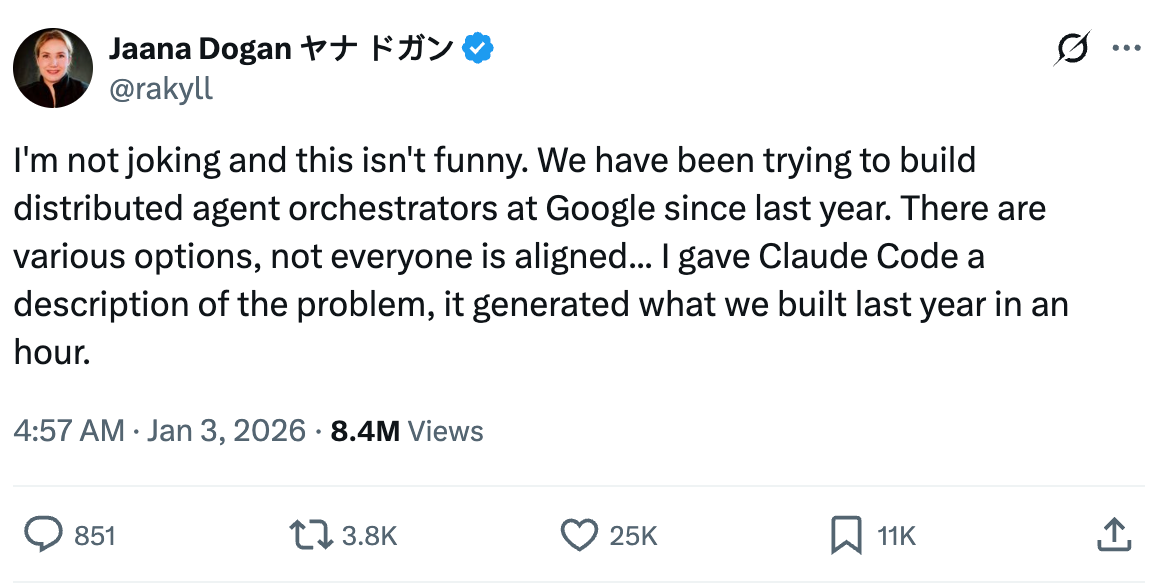
This is what senior Google Engineer said about Claude Code:
“We’ve been trying to build distributed agent orchestrators at google since last year. There are various options, not everyone is aligned… I gave Claude Code a description of the problem, it generated what we built last year in an hour.”
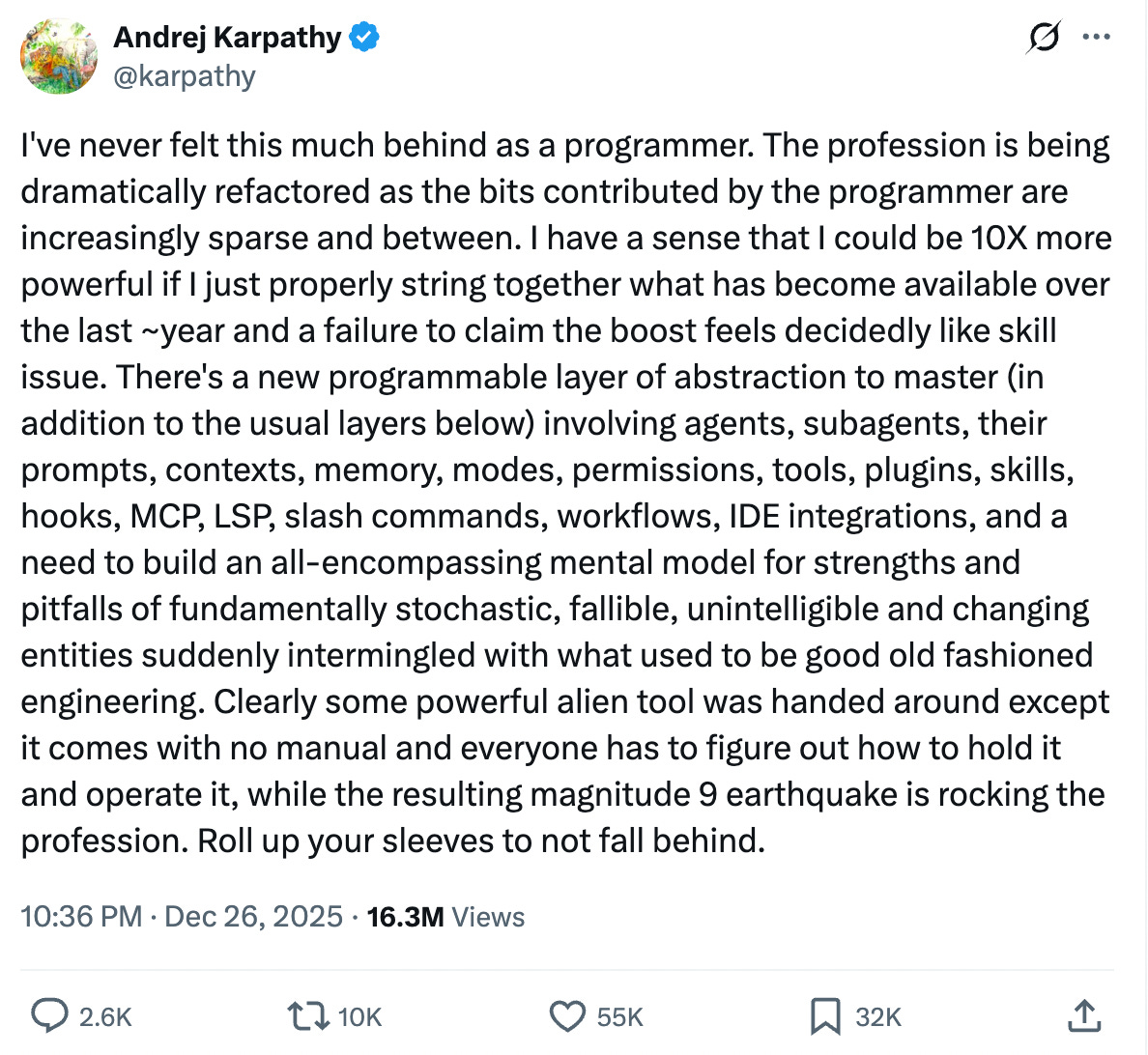
If an ex-cofounder of OpenAI, former Director of AI at Tesla, and arguably one of the brightest minds on the planet says he’s feeling behind… that should be a wake-up call for the rest of us.
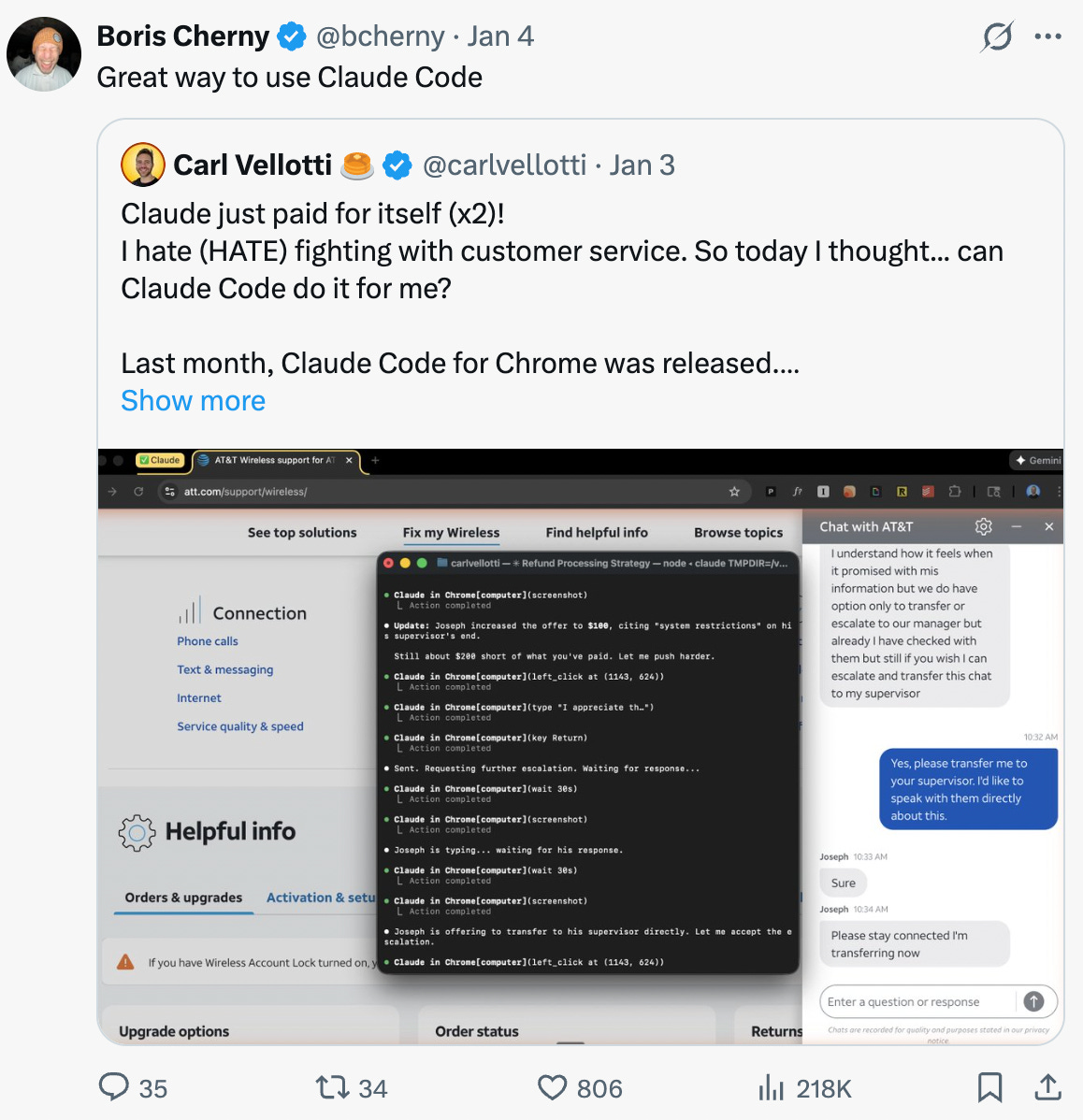
We shared these two examples for one reason: Mastering Claude Code is the biggest cheat code you can unlock right now.
The workflows you thought were “too technical” or “require coding” are now doable just by chatting with an AI… and the ceiling of what you can automate is insane.
You can build workflows, scrape data, automate processes, transform files, generate prototypes, and ship internal tools, without touching a code editor.
Claude just removed all the technical barrier!
And we’re showing you how to do it ALL today even if you’ve never used claude code before. We’re building:
1. Building a PM Copilot that executes all the grunt tasks for you!
2. Going from idea to production ready product in one session
3. Design to code in just few minutes
Let’s dive into it!
Introducing our Guest Builder for today, Carl Vellotti.
It wouldn’t be wrong to say that Carl is the face of Claude Code for PMs and product builders right now. The way he teaches makes everything click. You finish a session feeling like you can actually apply it, even if you’ve never written a line of code.
He writes the The Full Stack PM newsletter for 15,000 PM builders where he shares bunch of AI workflows and tutorials. He also has a FREE Claude Code crash course for PMs. It’s taught IN Claude Code, so everything is directly applicable.
And has been praised by Claude Code creator himself, so you already know the next 30 -60 minutes you’ll spend watching his stuff is worth its weight in gold.
How I Use Claude Code for Almost Everything Now
I’ve been building with AI tools since the GPT-4 days. I’ve tried every coding assistant, every workflow automation, every “AI for PMs” tool that’s hit Product Hunt.
But Claude Code is different. It’s the first tool that actually matches how my brain works as a PM.
I’m not exaggerating when I say I use it for almost everything now – from morning planning to experiment analysis to building working prototypes. It’s become my operating system for product work.
In this piece, I’m going to walk you through three ways I use it:
As a daily operating system – Morning planning, meeting prep, translating the same work for different audiences
From idea to production – Taking a half-baked feature concept to a working prototype in one session
Design to code – Pointing Claude at a Figma file and getting back a functional build
These aren’t theoretical. I’ll show you the actual flow for each one.
1. My Daily Operating System (Personal Copilot)
The concept: Claude Code isn’t just for coding. With the right setup, it becomes your personal PM copilot – one that knows your calendar, your tasks, your running docs, and your templates.
The magic is in the context. You give Claude access to your actual work files, and suddenly it can do things like:
Pull your calendar and flag what needs attention
Cross-reference your task list with your meetings
Draft prep notes based on your running 1:1 docs
Create different versions of the same content for different audiences
How it works:
Set up your workspace – Create a folder with your key docs: task list, 1:1 notes, templates, meeting notes
Connect your calendar – Claude Code can read Google Calendar via MCP
Create a “start day” trigger – A simple prompt file that tells Claude to check your calendar, read your tasks, and surface what matters
A real example: Last week my experiment results presentation got moved up to that afternoon. I ran my morning workflow, Claude flagged the conflict, and helped me go from “oh shit” to having my analysis, three different readouts (team, exec, permanent doc), a PRD for the follow-up feature, and a slide deck – all in one session.
Same data, different audiences, zero context-switching.
2. Idea to Production in One Session
The concept: That half-baked feature idea in your head? You can go from brain dump to working prototype without switching tools.
Most PMs I know have a graveyard of ideas that never made it past a Notion page. Not because they were bad ideas, but because the activation energy to actually build something was too high.
Claude Code collapses that gap. You can literally think out loud, answer a few clarifying questions, and watch a working version materialize.
The flow:
Brain dump – Just describe what you’re thinking. Don’t worry about structure.
Clarifying questions – Claude asks what it needs to know (scope, target user, key constraints)
PRD – Formalizes everything into a proper spec
Mockups – Creates clickable HTML versions you can actually preview
Build – Outputs working code
A real example: I wanted a meeting cost calculator – something that shows how much a meeting is costing in real-time based on who’s in the room.
I described the idea in two sentences. Claude asked about salary data (role-based estimates vs. manual input), display format (ticker vs. summary), and target user (organizer vs. attendees).
Twenty minutes later: PRD, three different UI options I could click through in my browser, and a polished working version. Brain dump to production.
3. Design to Code (The Reverse-Engineering Trick)
The concept: Found a UI you love? Claude can look at a Figma file and build a working version.
This is honestly the one that surprised me most. I assumed “read a design file” would mean “kind of guess at the colors.” Nope. It extracts the actual design system – colors, typography, spacing, component structure – and turns it into code.
How it works:
Point Claude at a Figma file – Just paste the URL
Extract components – Claude builds a component library from the design
Build the experience – Use those components to create something functional
A real example: I grabbed a Tinder UI kit from Figma Community. Asked Claude to extract the design system into a component library, then build a working swipe experience.
The result: card stacking, drag-to-swipe with tilt animations, “LIKE/NOPE” stamps that fade in as you drag, spring physics on everything, and a match popup when you swipe right on someone who likes you back.
From a design file I didn’t create to a working prototype with real interactions. That’s the unlock.
Want to Dive Deep?
Carl is also joining us for our LIVE AI Executive Insights session — alongside AI leaders from Google, Atlassian, and others — where he’ll be breaking down advanced workflows every product builder should master in 2026.
If you want to attend this session live, learn EVERYTHING directly from Miqdad (Product Lead at OpenAI), join the LIVE AI Build Labs sesions, and become an AI PM who can actually build enterprise-level AI products from scratch…
»»»» Click here to enroll in the #1 AI PM Certification and get $500 off.
Cohort starts January 26.